OmniFolio PDF Solution
Offline Document Management Suite for Practicing Advocates. Fast, private, and engineered specifically for Indian court filings and legal case files.
Compatible with Windows 10 & Windows 11 (64-bit) • Includes 7-day full trial, installer setup & user guide inside ZIP
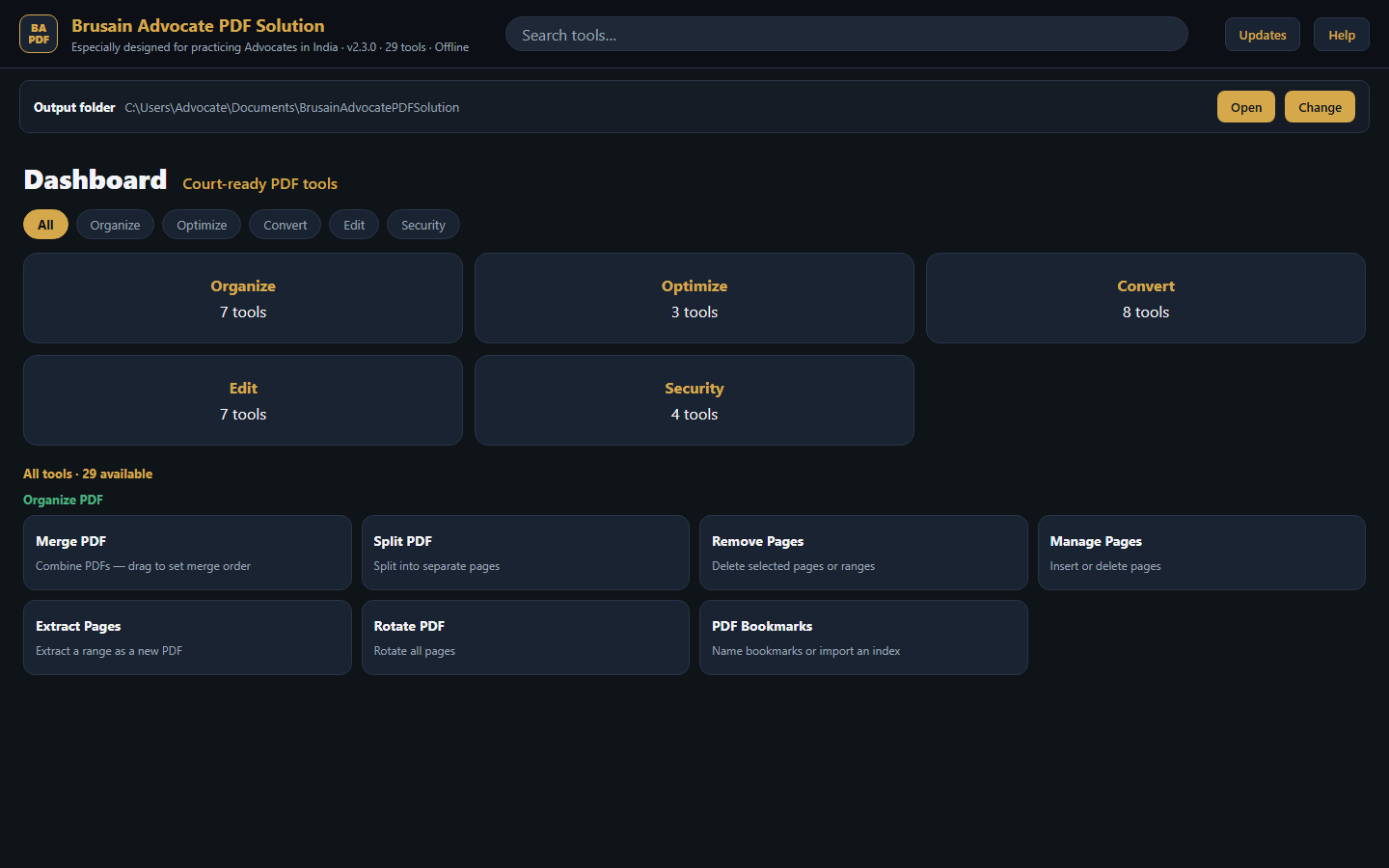
Engineered for Advocates & Law Chambers
Every feature is designed around the daily workflow of courtroom litigation, legal briefs, and statutory e-filing requirements.
Organize PDF
- Merge PDFs: Combine multiple case files into a single bundle.
- Split PDF: Break large briefs into manageable sub-documents.
- Manage Pages: Reorder, duplicate, or delete specific pages visually.
- Extract & Remove: Pull out exhibits or judgments; strip blank sheets.
- Rotate & Bookmarks: Correct orientation of scanned petitions and build structured court index trees.
Optimize PDF
- Compress PDF: Drastically reduce scan file sizes for court portals while preserving OCR clarity & bookmarks.
- Repair PDF: Recover and fix corrupt or unreadable PDF streams.
- OCR Recognition: Make scanned legal petitions, exhibits, and judgments fully searchable.
Convert PDF
- Convert to PDF: Images (JPG, PNG, TIFF), Word (.docx), PowerPoint (.pptx), Excel (.xlsx), HTML.
- Convert from PDF: Export to editable Word (.docx) and high-resolution images.
- Archival PDF/A: Compliant with judicial standards for long-term digital preservation.
Edit & Annotate
- Bates Stamping: Add customized sequential page numbering and case header labels.
- Watermark: Apply "URGENT", "CONFIDENTIAL", or custom chamber watermarks.
- Sign & Annotate: Digital signatures, highlights, margin comments, and underlines.
- Crop & Redact: Trim scanner margins; permanently black out sensitive personal data.
100% Strictly Local & Private Processing
OmniFolio PDF Solution processes all documents locally on your Windows PC. No briefs, client affidavits, or confidential litigation materials are ever transmitted across external servers or the cloud. Your attorney-client confidentiality remains fully protected.
Licensing & Pricing Plans
Start with a 7-day free trial on first launch (first 50 pages processed without branding). License inquiries and cryptographic keys are issued directly via our contact desk.
1-Year License
- Full access to all 4 feature modules
- Unlimited page processing
- 1 Year of updates and technical support
- Bound cryptographically to hardware System ID
2-Year License
- Save 25% compared to annual renewal
- Full access to all 4 feature modules
- 2 Years of continuous updates & priority support
- Bound cryptographically to hardware System ID
3-Year License
- Best value (₹3,333 / year)
- Full access to all 4 feature modules
- 3 Years of continuous updates & priority support
- Bound cryptographically to hardware System ID
Custom Chamber Branding & Multi-PC Chamber Licensing
Need your legal chamber or corporate firm name branded permanently into the title bar, custom chamber watermarks, firm Bates stamping templates, or 10+ workstation seat packs? Contact our engineering team for enterprise chamber options.
System Requirements
-
•
Operating System: Windows 10 or Windows 11 (64-bit)
-
•
RAM: 4 GB minimum (8 GB recommended for large scanned court records)
-
•
Disk Space: ~300 MB free disk space
-
•
Internet: Not required for core operations. 100% offline & private.
Installation & Setup
-
1.
Download Package: Download
OmniFolio-PDF-Solution-Windows-v2.1.0.zipusing the single download button above. -
2.
Extract & Install: Extract the ZIP on your PC and run
OmniFolio-PDF-Solution-Setup.exe. Automated setup creates desktop and start menu shortcuts. The customer guide is included inside the package. -
3.
Windows SmartScreen: If prompted on first run, click “More info” → “Run anyway”. The executable is digitally signed by CoreAppGrid.com.
-
4.
Support & Reactivation: Reach us anytime at contact@coreappgrid.com with your Name, Mobile Number, and System ID.
-
5.
Automatic Update Notifications: OmniFolio includes an in-app non-blocking background update checker that silently polls
coreappgrid.com. When a newer build is released, you will receive a notification with a direct link to the download page. It never auto-replaces files or interrupts courtroom use.